> ## Documentation Index
> Fetch the complete documentation index at: https://help.socialmatix.com/llms.txt
> Use this file to discover all available pages before exploring further.
# Quickstart
> Publish your first soc
This guide walks you through creating your first social wall in SocialMatix—from connecting a source to embedding the wall on your website.
## Before you begin
* A SocialMatix account
* Login credentials for at least one social account you want to display (e.g., Instagram, Facebook, TikTok)
* Access to your website's code or CMS so you can paste an embed snippet
## Steps
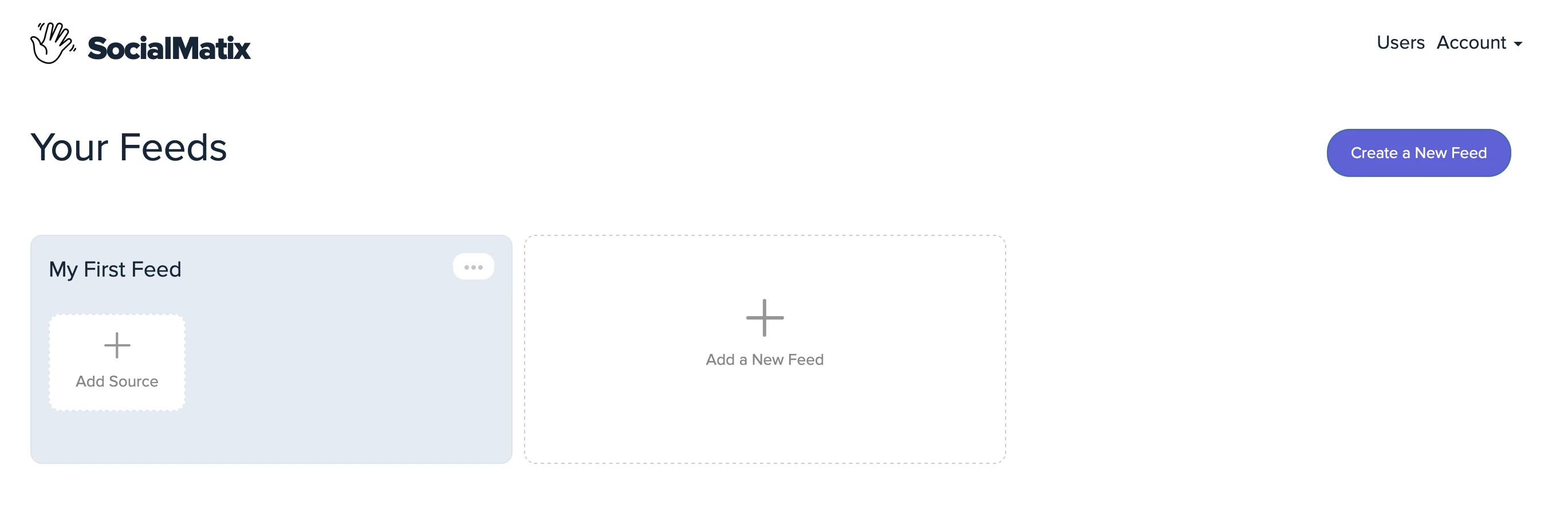 Click on "Add Source" in **My First Feed**
Click on "Add Source" in **My First Feed**
Click on "Add Source" in **My First Feed**
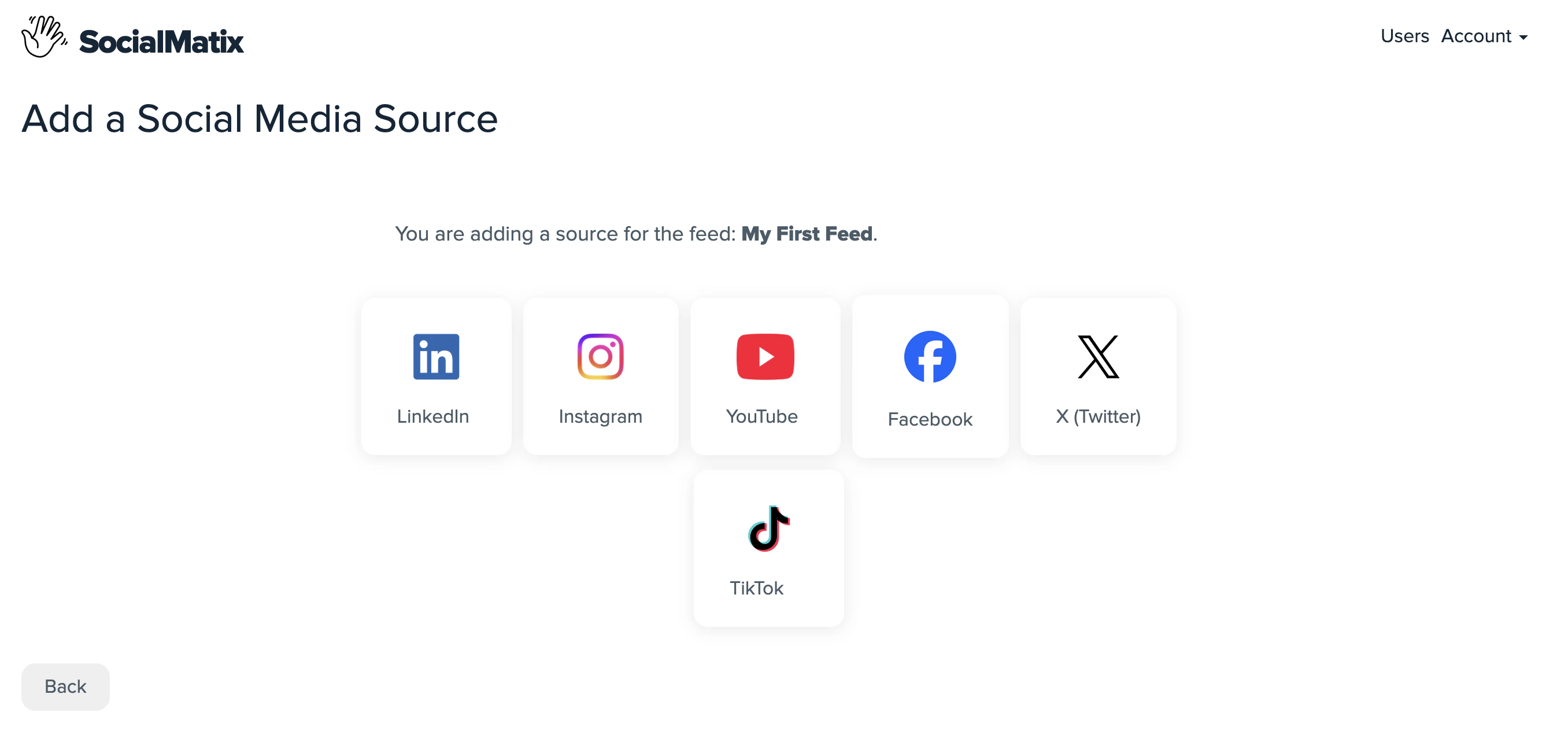 Select a source from the list, for example, **Instagram**). Available sources differ depending on your plan
Select a source from the list, for example, **Instagram**). Available sources differ depending on your plan
Select a source from the list, for example, **Instagram**). Available sources differ depending on your plan
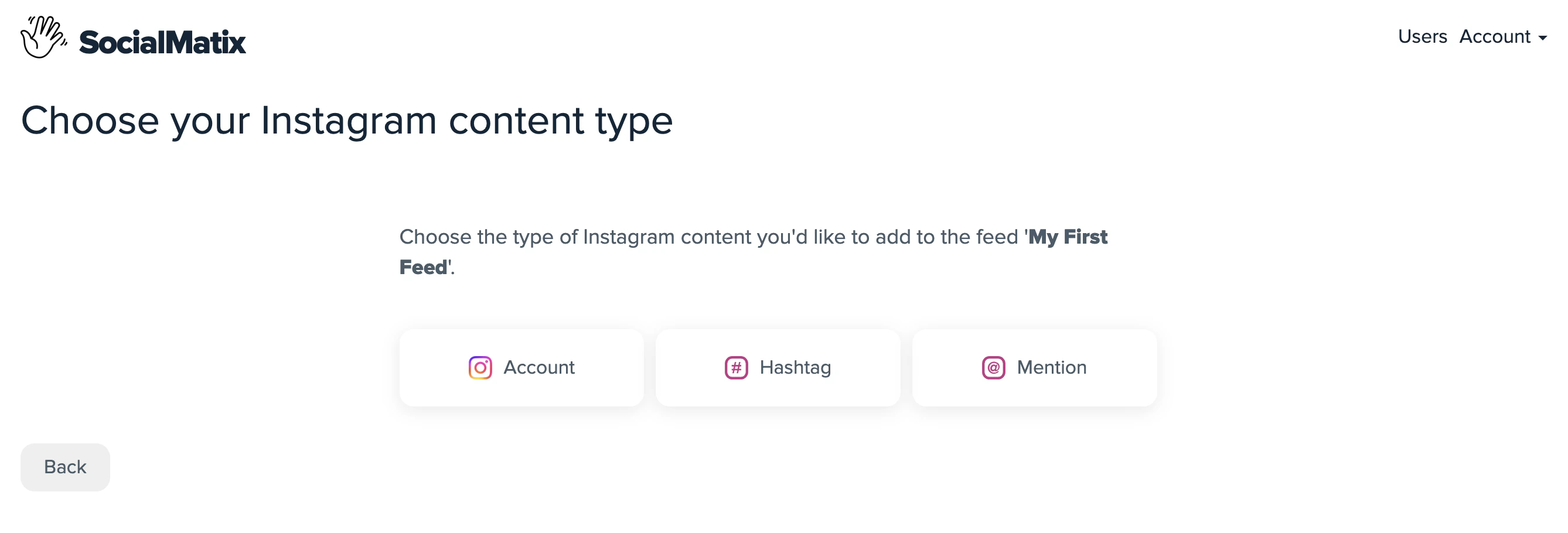 Click 'Account' to add your account and follow the OAuth prompts to sign in and authorize SocialMatix to access content from (in this case Instagram). Once authorized, your posts are ingested automatically and become available in the feed.
Click 'Account' to add your account and follow the OAuth prompts to sign in and authorize SocialMatix to access content from (in this case Instagram). Once authorized, your posts are ingested automatically and become available in the feed.
Click 'Account' to add your account and follow the OAuth prompts to sign in and authorize SocialMatix to access content from (in this case Instagram). Once authorized, your posts are ingested automatically and become available in the feed.
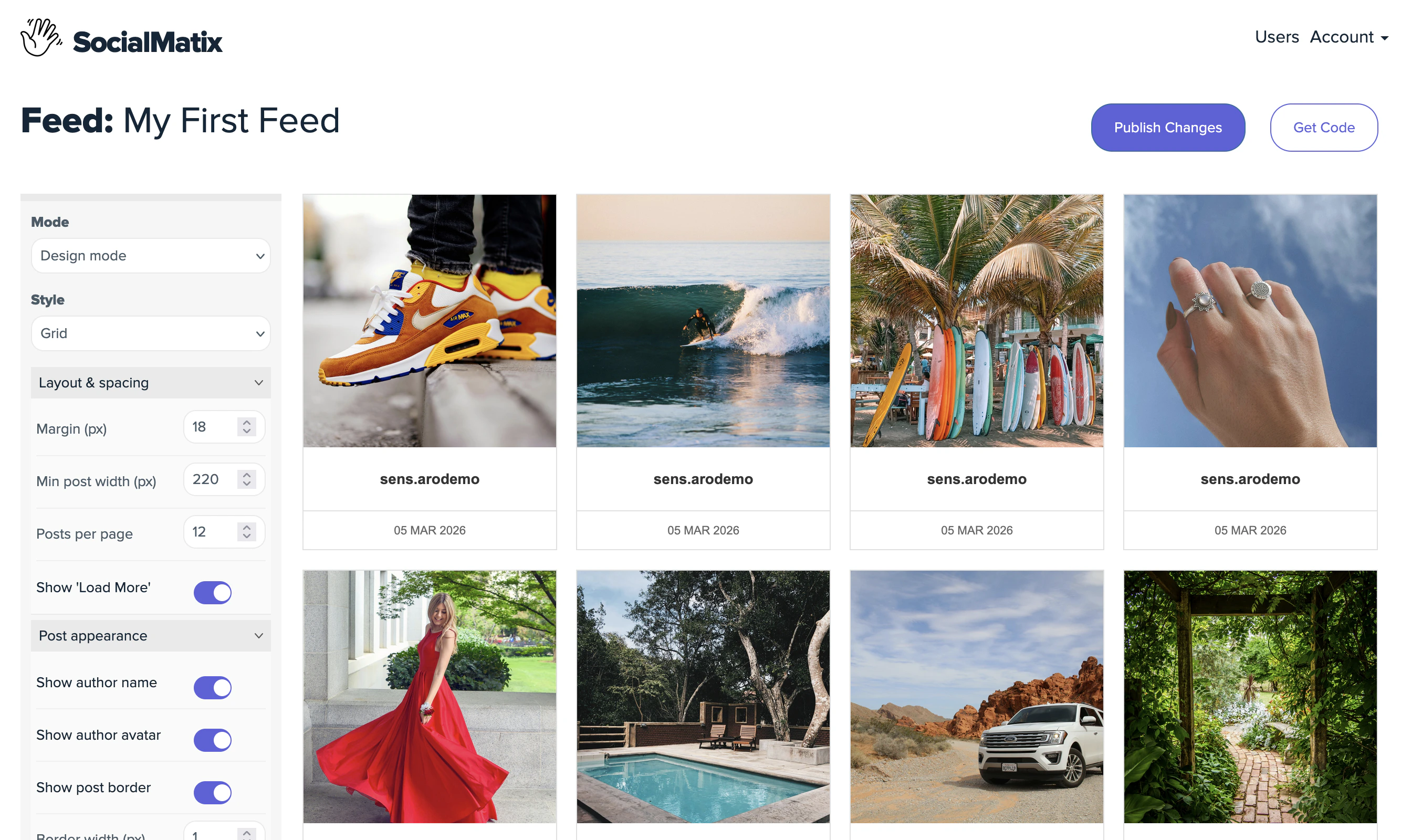 Review the ingested posts. Edit content, hide posts, and adjust styling until the wall looks the way you want.
**Mode:** In design mode (shown above) you can change styles such as colors, margins and borders to make your feed match your website.
In Edit mode you can edit the content of the post. This does not change the original post in e.g Instagram.
Review the ingested posts. Edit content, hide posts, and adjust styling until the wall looks the way you want.
**Mode:** In design mode (shown above) you can change styles such as colors, margins and borders to make your feed match your website.
In Edit mode you can edit the content of the post. This does not change the original post in e.g Instagram.
Review the ingested posts. Edit content, hide posts, and adjust styling until the wall looks the way you want.
**Mode:** In design mode (shown above) you can change styles such as colors, margins and borders to make your feed match your website.
In Edit mode you can edit the content of the post. This does not change the original post in e.g Instagram.
Review the ingested posts. Edit content, hide posts, and adjust styling until the wall looks the way you want.
**Mode:** In design mode (shown above) you can change styles such as colors, margins and borders to make your feed match your website.
In Edit mode you can edit the content of the post. This does not change the original post in e.g Instagram.
 Click **Publish Changes** to save your feed and make it live.
Click **Publish Changes** to save your feed and make it live.
Click **Publish Changes** to save your feed and make it live.
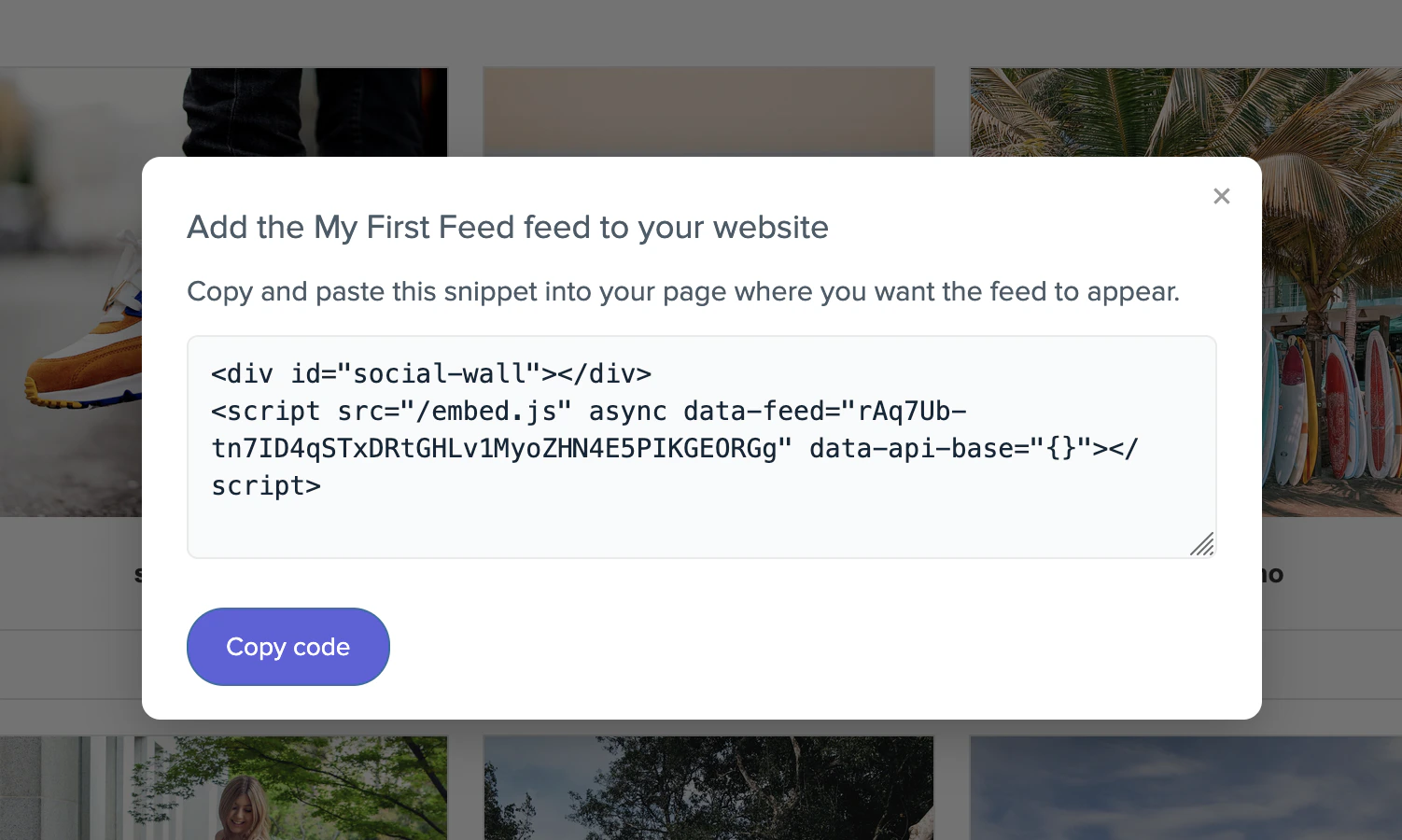 Click **Get Code** to copy the embed snippet, then paste it into your website wherever you want the social wall to display.
Newly published changes can take a few moments to propagate to embedded walls. Refresh your site to see the latest version.
## Next steps
* Review [key concepts](/platform/key-concepts) to understand feeds, sources, and moderation.
* Configure [user management](/platform/configuration/user-management) to invite teammates.
* Explore additional [integrations](/integrations/quickstart) to add more sources to your wall.
Click **Get Code** to copy the embed snippet, then paste it into your website wherever you want the social wall to display.
Click **Get Code** to copy the embed snippet, then paste it into your website wherever you want the social wall to display.
Newly published changes can take a few moments to propagate to embedded walls. Refresh your site to see the latest version.
## Next steps
* Review [key concepts](/platform/key-concepts) to understand feeds, sources, and moderation.
* Configure [user management](/platform/configuration/user-management) to invite teammates.
* Explore additional [integrations](/integrations/quickstart) to add more sources to your wall.